MobaXterm 🔗
MobaXterm is an SSH client application with a builtin X11 server and file browsing via SFTP (and much more). It can be used as an alternative to PuTTY and WinSCP.
You can download it at https://mobaxterm.mobatek.net/ .
New Session 🔗
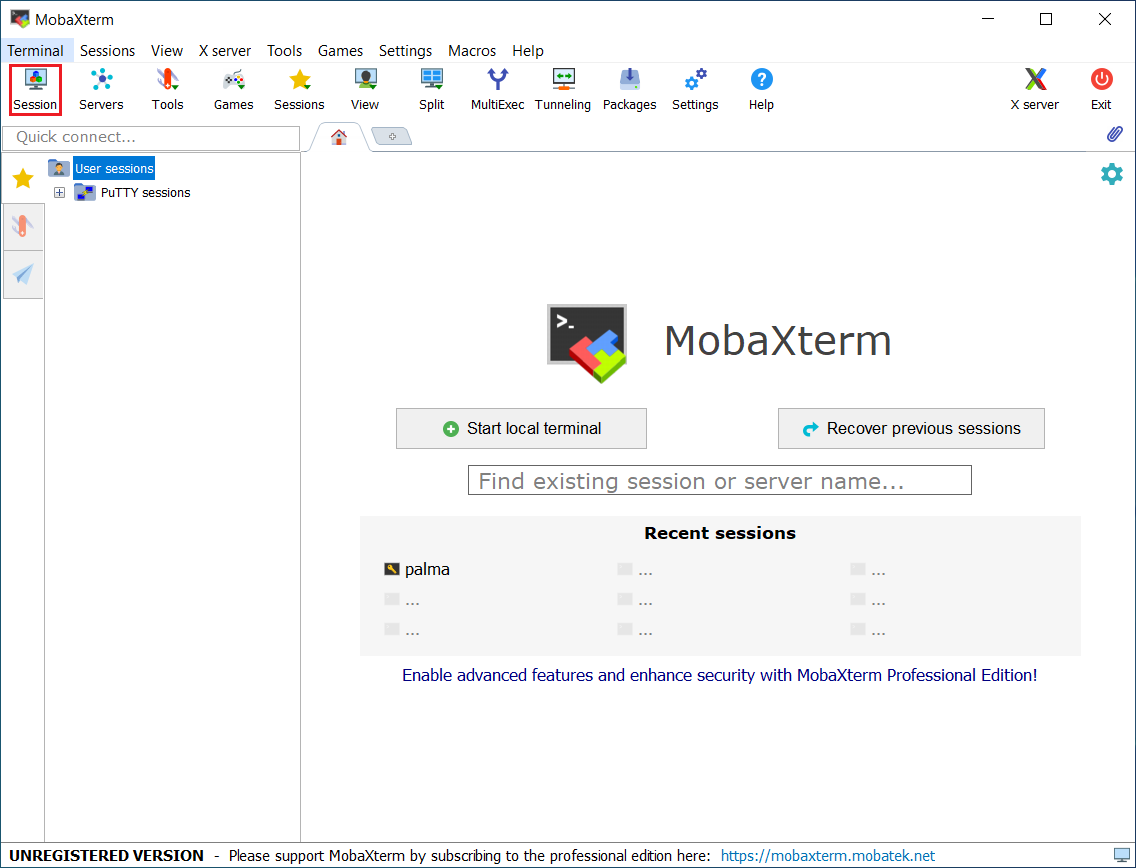
- To create a new connections click on the Session icon in the top left - a new window will open.
SSH Configuration 🔗
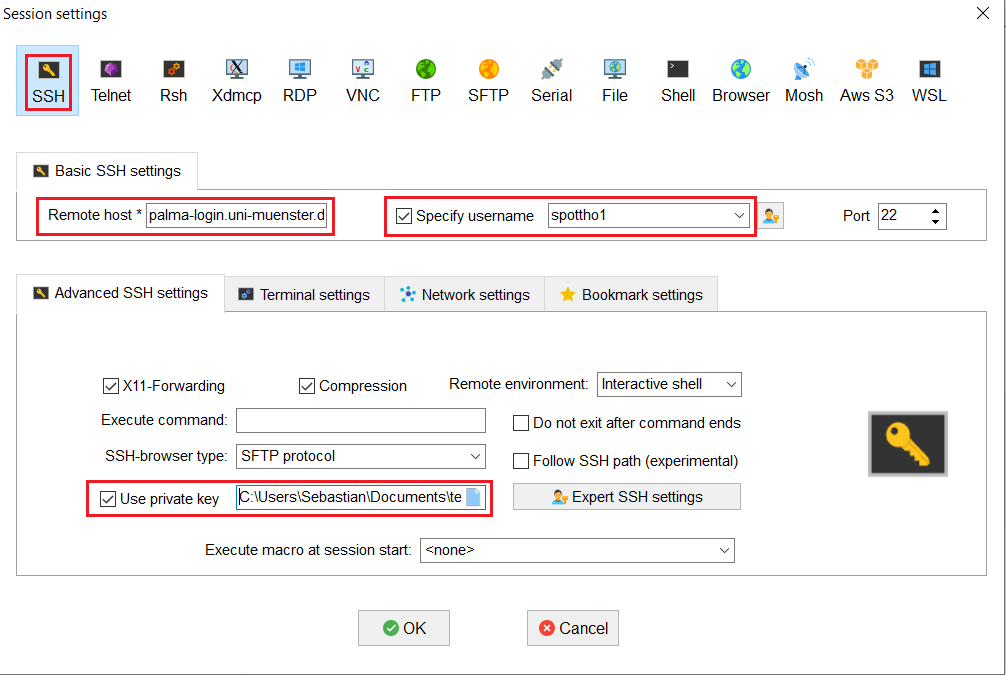
- Enter the hostname palma-login.uni-muenster.de
- Use your University user id as a username
- Check the box to use a private key and insert the your private SSH key
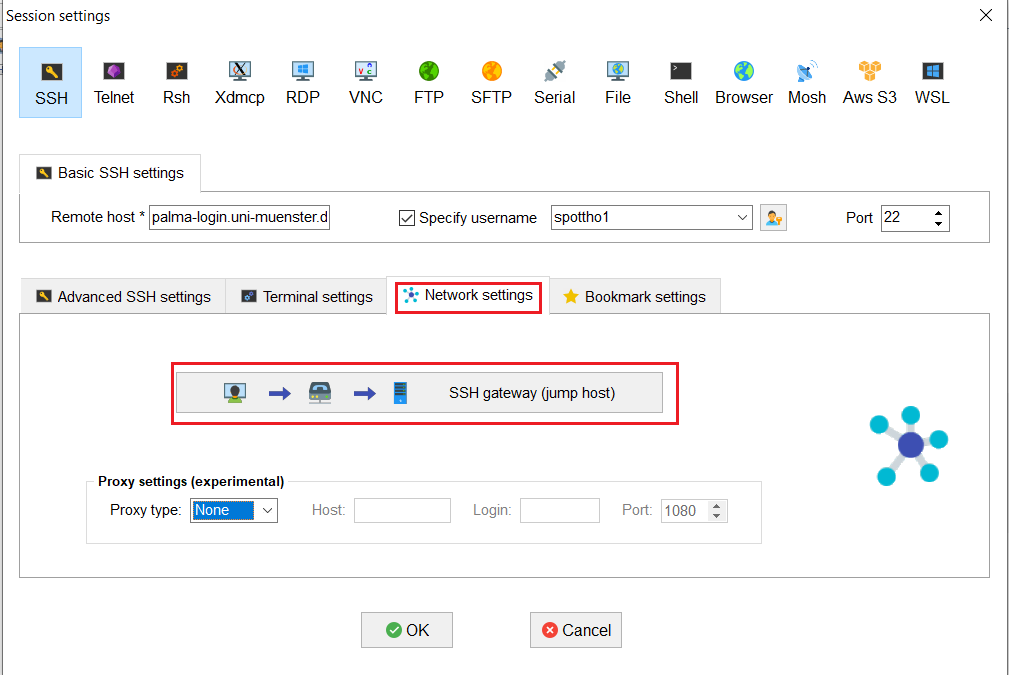
- Next click on the Network settings tab
Optional: SSH Jumphost Settings** 🔗
- Click on the SSH gateway (jump host) menu<
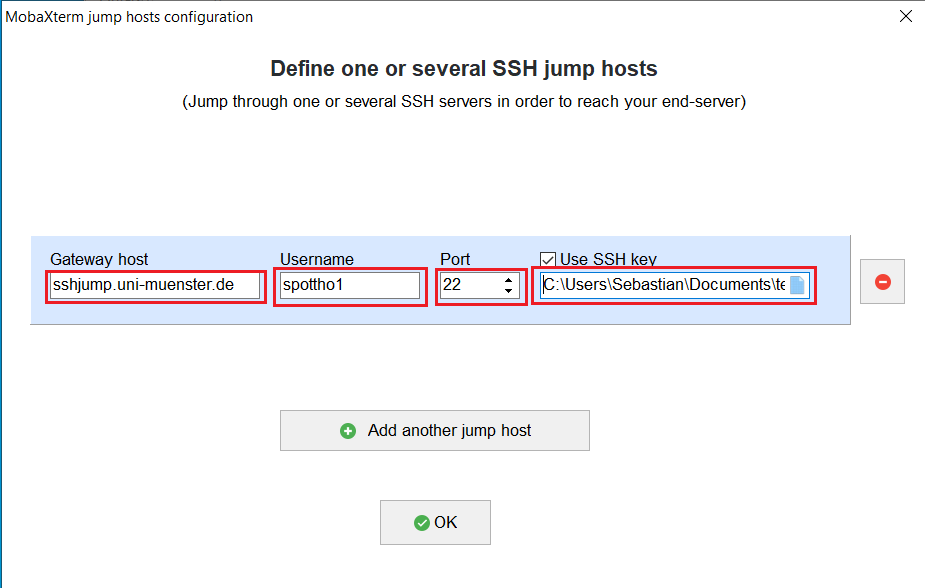
- Here enter the hostname of the jump host: sshjump.uni-muenster.de
- Type in your University account id as a username
- Choose port 22
- Locate your private SSH key file
After this confirm everything with OK . You can then start connecting to PALMA.