WinSCP 🔗
WinSCP lets you manage, up- and download files via SFTP to the PALMA login node. You can download it at https://winscp.net/
Basic Connection Settings 🔗
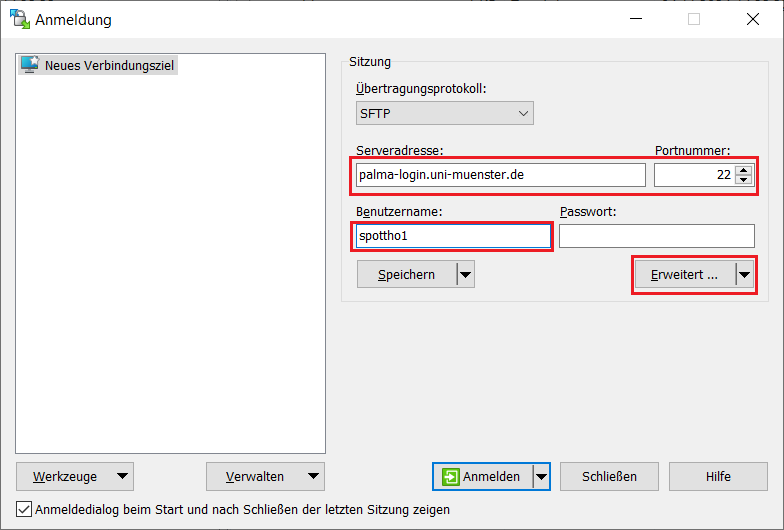
- To setup a new session insert the hostname of the palma login node: palma-login.uni-muenster.de
- Set the port to 22
- Add your university id as a username
- Click on Advanced (here Erweitert)
Authentication Settings 🔗
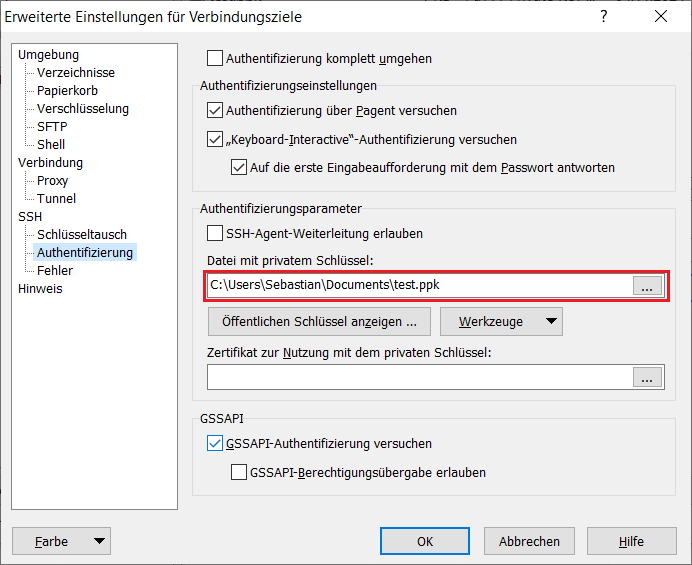
- In the advanced settings menu, go to SSH - Authentication
- Add you private SSH key file
Optional: Use the SSH Jumphost 🔗
- If you want to access the login node from outside of the University network, you can add a so called jumphost.
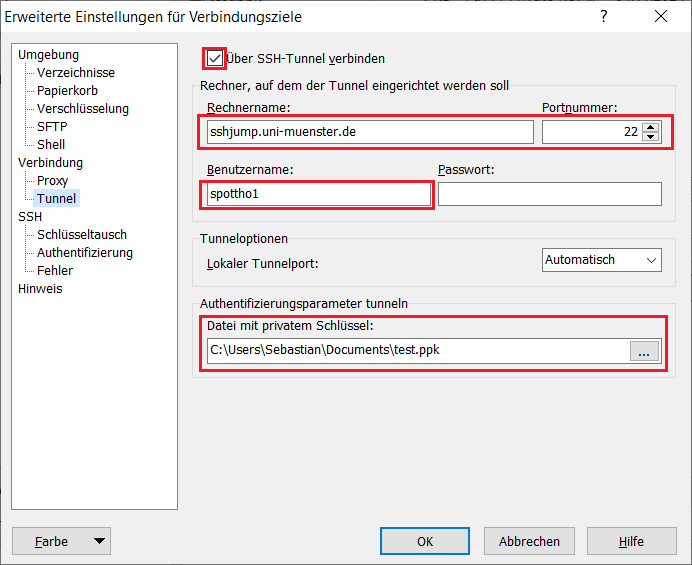
- Go to Connection - Tunnel
- Select Connect through SSH tunnel
- Add the hostname of the jumphost: sshjump.uni-muenster.de
- Set the port to 22
- Add your university ID as a user name
- Add your private SSH key
- Save everything and start the connection.